When Microsoft 365 Goes Down: A Practical Continuity Plan for Australian Businesses
The November outage disrupted more than email. Here is how small businesses can prepare for a failure across Outlook, Teams, files and sign-in systems without buying an entirely new technology stack.
 Harbour Creative Team
4 min read
Harbour Creative Team4 min read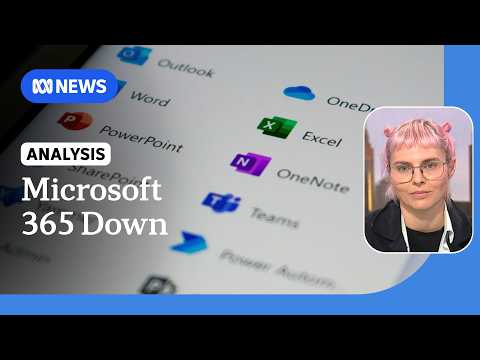
On Friday 13 November, the disruption to Microsoft services gave Australian workplaces an uncomfortable test. Many organisations use Outlook to receive orders, Teams to coordinate staff, OneDrive or SharePoint for documents and Microsoft identities to sign in. When several of those depend on the same infrastructure, a failure can stop work well beyond the inbox.
The lesson is not that every business needs a second provider for everything. It is that a business should know what can still operate when its main provider cannot.
The accompanying ABC News video explains what was known about the incident on 13 November. It is a dated report, not a live service-status feed.
Start with the work, not the software
Write down the five tasks your organisation must still perform during a working-day outage. For a trades business, that could mean answering urgent customer calls and locating today's bookings. For an accountant, it may mean knowing how to contact clients while protecting confidential files. For a shop, it could mean processing orders and coordinating deliveries.
Next, identify which tasks rely on Microsoft sign-in, email or stored documents. A backup contact number is little help if the only copy of the staff phone list is inside an inaccessible cloud account.
A one-page plan your team can actually use
Before an outage
- Keep an approved, securely stored offline copy of essential staff, supplier and emergency contacts. Decide who may access it.
- Make sure the people responsible for critical operations know where to find current bookings, active jobs and urgent deadlines if normal systems are unavailable.
- Nominate one person to assess the disruption and another to communicate with staff or customers.
- Agree on a fallback communication channel that does not depend on the same Microsoft sign-in.
- Check that backups can be restored, not merely that a backup service reports success. Protect these copies with access controls and encryption where appropriate.
During an outage
- Check the provider's official service-health notices before assuming the problem is with an individual device or account.
- Tell staff which services are unavailable, which fallback methods are approved and when the next update will come.
- Record important customer decisions and transactions in a controlled location so they can be entered into normal systems later.
- Avoid sending sensitive client records to personal email accounts or unapproved messaging services just because they happen to work.
- If a critical service cannot operate safely, tell affected customers promptly rather than promising a restoration time you do not control.
After service returns
- Reconcile transactions, messages and records created during the disruption.
- Check whether any deadlines or requests were missed.
- Review how long your fallback process worked and which information was hard to access.
The question to ask about authentication
Email is visible when it fails. Identity systems are easier to overlook. If a staff member needs a Microsoft login to open the only copy of an emergency procedure, that procedure may be unavailable just when it is needed. The same applies to password recovery instructions stored in the affected inbox.
Keep emergency arrangements separate from a single sign-in dependency, but do not weaken normal security. A second channel needs clear ownership, multifactor protection where available and sensible permissions.
How much redundancy is enough?
A small firm does not necessarily need duplicate subscriptions to every workplace product. Some can operate for a few hours using phone calls and approved offline records. Others, including businesses with time-critical customer services, may require more robust alternatives.
Decide this by measuring how long each task can stop before the consequences become serious. Then compare the cost and complexity of the fallback with the likely business impact.
Microsoft's recovery efforts after the November outage illustrate why companies cannot predict exactly when a provider will return to normal. An internal plan should therefore work for an uncertain duration, not only for a neatly defined one-hour interruption.
Keep the record connected
Our report on the November Microsoft outage explains what failed and why it mattered. Readers following the wider technology industry can also explore Microsoft's relationship with Nvidia and the Microsoft company profile.
The important test for a continuity plan is simple: if Outlook, Teams and your usual sign-in stop working tomorrow morning, does everyone know the first three things to do?
Video: ABC News (Australia), 13 November 2026. Embedded from the broadcaster's YouTube channel. The video is provided as context for this independently written guide.
Sources: Associated Press: Microsoft outage and recovery · ABC News: What happened to Microsoft services.
About this article
This article is published by Harbour Creative Blogs. Sources and supporting material, where applicable, are linked within the article.
Found an error? Contact the editorial desk. See our editorial standards and corrections policy.
From the Harbour Creative Blogs archive
Keep exploring this story
Related reporting, people and places from our published coverage. These are editorial connections, not a popularity ranking.
Company
Microsoft
Cloud computing, Windows, workplace software, AI investment and the consequences for Australian businesses.
Company
Nvidia
The chipmaker at the centre of global AI investment: its revenue, products, leadership, customers and commercial relationships.